
Team CollaborationA distributed team does not need everyone online at once to make progress. Set a shared working rhythm, write handoffs that someone else can act on, and make decisions easy to find. This guide offers practical routines for freelancers, students and small creative teams working across time zones.
Read article · 4 min↗


Team CollaborationNot every project question needs a call, and not every decision belongs in a long message thread. Use the type of work, the people involved, and the urgency of the decision to choose a collaboration format that keeps a creative project moving.
Read article · 4 min↗

Team CollaborationA useful communication plan tells collaborators where to ask questions, share progress and raise time-sensitive problems. Learn how to match each message to a channel, set response expectations and keep decisions easy to find.
Read article · 4 min↗

Team CollaborationA project kickoff should do more than introduce the work. Use it to agree on outcomes, responsibilities, communication, decisions, files and the first steps, so collaborators leave knowing how to work together.
Read article · 4 min↗

Team CollaborationA small creative team works better when everyone knows who makes decisions, who does the work and when a handoff is complete. Use a simple role map, clear deliverables and a short review routine to keep projects moving without adding unnecessary process.
Read article · 4 min↗

Project PlanningA one-page plan gives a small creative project enough structure to move forward without becoming a document nobody uses. Learn what to include, how to keep it concise, and how to turn the finished page into a useful guide for decisions, feedback and delivery.
Read article · 4 min↗

Project PlanningRework often starts before anyone opens a design file or writes a line of code. Learn how unclear goals, hidden assumptions, vague responsibilities and rushed handoffs create avoidable extra work—and how to plan around them.
Read article · 4 min↗

Project PlanningA group project is easier to manage when its plan reflects everyone’s coursework and exam commitments. Learn how to map busy periods, set milestones, share work fairly and leave time for review.
Read article · 4 min↗

Project PlanningA phased plan creates checkpoints for feedback and adjustment; one final deadline can protect focus when the work is clear and self-contained. Learn how to choose a delivery rhythm that fits your project, collaborators and review process.
Read article · 4 min↗

Project PlanningYou do not need every answer before you begin a digital or creative project. A useful plan can separate confirmed requirements from assumptions, identify the decisions that matter most, and make room for learning before the team commits to detailed work.
Read article · 4 min↗

Project PlanningAcceptance criteria turn a project brief into a shared definition of done. Learn how to write clear, testable criteria, review them with stakeholders, and use them to guide design, development, and delivery.
Read article · 4 min↗

Project PlanningA useful risk plan does not need a complex spreadsheet. Learn how to spot likely disruptions in a creative or digital project, decide which ones deserve attention, and write practical backup actions before work gets stuck.
Read article · 4 min↗

Project PlanningA first release does not have to contain every planned feature, but it does need to work for its intended audience. Use this guide to decide when to launch a focused minimum viable project, when a fuller build is necessary, and how to define a useful release either way.
Read article · 4 min↗

Project PlanningA practical way to decide what belongs in a limited-scope project: define the outcome, separate essentials from enhancements, account for dependencies, and document the tradeoffs before work begins.
Read article · 4 min↗

Project PlanningA useful project budget does more than name a price. It connects the work in the brief to the time, expenses, revisions and delivery steps needed to finish it. This guide shows freelancers how to build a simple estimate, explain it to a client and keep it useful as the project changes.
Read article · 4 min↗

Project PlanningA project can have a clear deadline and still be unable to start if the client has not supplied the content, access or decisions it depends on. Learn how to identify those inputs, request them clearly and build a realistic plan around their arrival.
Read article · 4 min↗
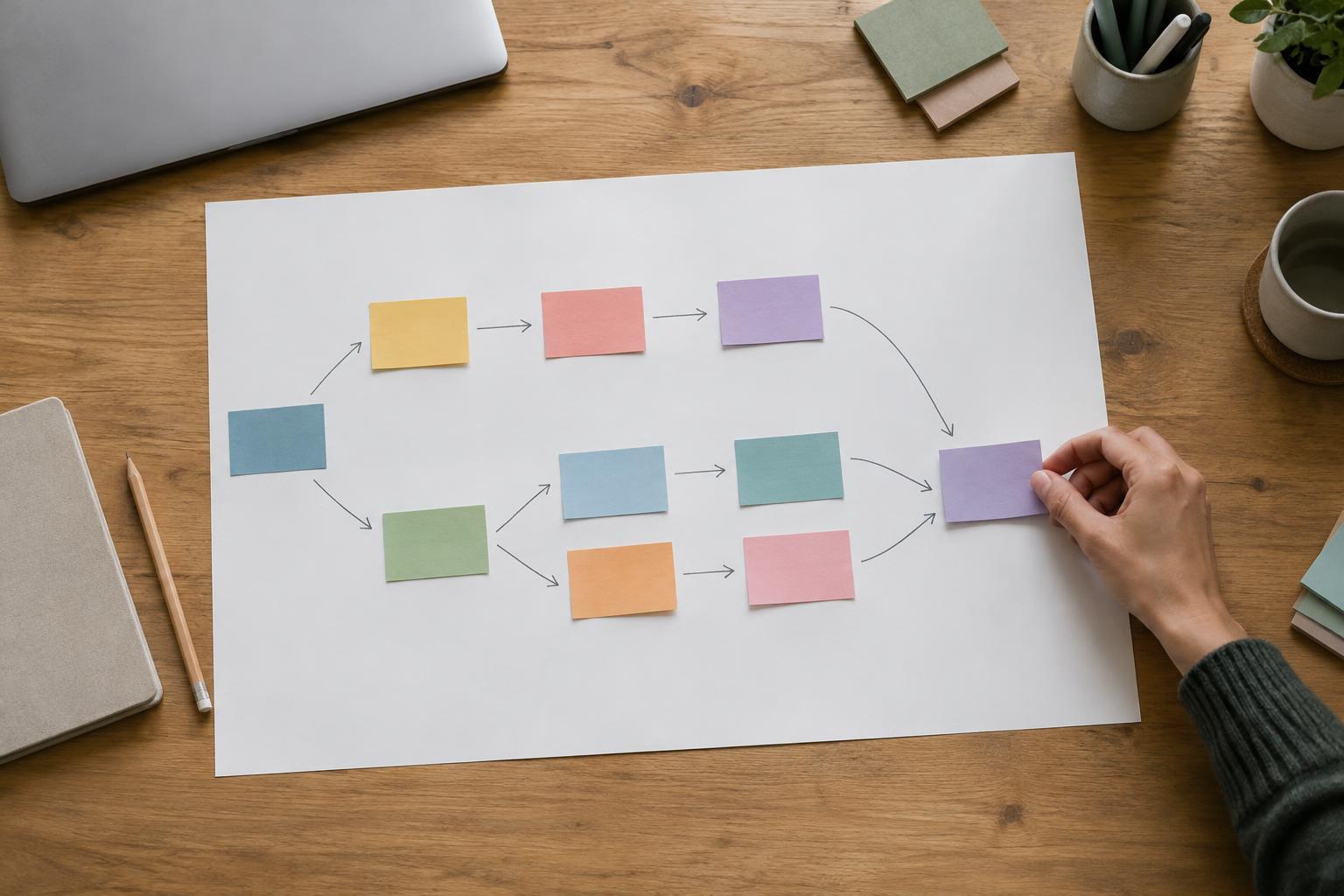
Project PlanningA useful project schedule starts with knowing what must happen before something else can begin. Learn how to map task dependencies, find work that can run in parallel, and turn the map into a realistic plan for a digital or creative project.
Read article · 4 min↗

Project PlanningA fixed deadline does not tell you how much work will fit before it. Learn how to work backward from delivery, account for dependencies and review time, and build a timeline you can adjust without losing sight of the final date.
Read article · 4 min↗

Project PlanningCreative work rarely follows a perfectly predictable schedule. A useful estimate makes the work visible, states what is still unknown, and gives collaborators a way to respond when the scope changes. Here is a practical approach for freelancers, students, and small teams.
Read article · 3 min↗

Project PlanningA digital project becomes easier to plan when you turn its goal into clear deliverables, small tasks, and a realistic order of work. This guide shows freelancers, students, and small teams how to build a task list they can use.
Read article · 4 min↗

Project PlanningDeliverables, tasks and milestones answer different questions: what will be produced, what work must happen and which checkpoints show progress. Learn how to separate them and build a clearer plan for a creative or digital project.
Read article · 4 min↗

Project PlanningA useful project brief says more than what you plan to make. It also states what you are not taking on. Learn how to write clear scope boundaries, test them with collaborators and handle new requests without losing sight of the original goal.
Read article · 4 min↗

Project PlanningA useful project goal connects the work to a real need. Learn how to turn a broad idea into a clear outcome, choose practical signs of success, and agree on what the finished project must deliver.
Read article · 4 min↗

Project PlanningA useful discovery conversation goes beyond the deliverable. Ask about the problem, audience, scope, decision-makers, materials, timeline and definition of success before deciding whether a project is a good fit.
Read article · 4 min↗

Project PlanningA creative project brief does not need to be long. It needs to give everyone a shared understanding of the goal, audience, deliverables, constraints and next decisions. Here is a practical way to write one before work begins.
Read article · 4 min↗

Portfolio BuildingA useful portfolio does not need constant reinvention. Learn when to review it, which projects deserve a place, and how to retire work that no longer represents what you want to do.
Read article · 4 min↗

Portfolio BuildingA portfolio thumbnail should help visitors recognize a project and decide whether to explore it. Learn how to choose a representative image, design for small sizes, add context and keep a consistent homepage layout without making every project look the same.
Read article · 4 min↗

Portfolio BuildingThe same projects can tell different stories. Learn how to adjust your portfolio’s introduction, case studies and calls to action for freelance clients or hiring managers without rebuilding everything from scratch.
Read article · 4 min↗

Portfolio BuildingA strong portfolio does more than show finished work. It helps the right visitor take the next step. Learn how to make your contact details visible, explain what kinds of inquiries you welcome, and check that the path from project page to conversation actually works.
Read article · 4 min↗

Portfolio BuildingA useful About page does more than introduce you. It helps visitors understand the work in your portfolio, the part you played in each project and what it would be like to work with you. This guide shows how to write one with clear details and a natural next step.
Read article · 4 min↗

Portfolio BuildingA strong portfolio case study should be easy to understand and use, not just visually impressive. Learn how to structure the story, describe images, present project evidence, and check the page so more visitors can follow your work.
Read article · 4 min↗

Portfolio BuildingConfidential projects can demonstrate your skills without exposing a client’s plans, customer information or unpublished work. Learn how to check what you may share, build a useful case study from safe details and review it before publishing.
Read article · 4 min↗

Portfolio BuildingA strong project case study shows more than the finished work. Learn how to explain constraints, decisions, compromises and lessons without blaming collaborators or overstating results.
Read article · 4 min↗

Portfolio BuildingA project can make a strong portfolio case study even without traffic, revenue or conversion figures. Learn how to show the brief, your decisions, the finished work and what you can honestly say about its results.
Read article · 4 min↗

Portfolio BuildingA strong portfolio caption does more than name an image. Learn how to explain what viewers are seeing, why it matters, what you contributed, and whether a prototype represents a final result.
Read article · 4 min↗

Portfolio BuildingA strong portfolio image does more than make a page attractive. Learn how to select, sequence and caption images that show the problem, your decisions and the finished result.
Read article · 4 min↗

Portfolio BuildingA strong portfolio case study shows more than a polished final image, but it does not need to record every step. Learn how to choose process evidence, connect decisions to the brief, and make your work easy to scan.
Read article · 4 min↗

Portfolio BuildingSelf-initiated projects can show your thinking and craft without pretending they were commissioned. Learn how to label the work, explain the brief, show your process, and describe outcomes accurately.
Read article · 4 min↗

Portfolio BuildingA student assignment can demonstrate useful skills even without a paying client or a launched product. Learn how to present the brief, your decisions, your contribution and the final work without overstating its impact.
Read article · 4 min↗

Portfolio BuildingYou do not need paid commissions to demonstrate how you work. Self-initiated projects, coursework, thoughtful redesigns and small collaborations can all make useful portfolio pieces when you explain the goal, your decisions and the outcome honestly.
Read article · 4 min↗

Portfolio BuildingA strong team-project portfolio entry makes the shared goal clear without blurring who did what. Learn how to describe your role, show evidence of your decisions, credit collaborators and discuss results honestly.
Read article · 3 min↗

Portfolio BuildingA useful portfolio case study does more than show the finished work. Learn how to explain the problem, your role, the decisions you made, and what happened next—even when the results are hard to measure.
Read article · 4 min↗

Portfolio BuildingA strong portfolio helps visitors answer a simple question: “Is this person or team a good fit for my project?” Learn how to organize your work, label projects clearly, and build case studies that make relevant experience easy to find.
Read article · 4 min↗

Portfolio BuildingA portfolio website and a PDF serve different purposes. Learn how to choose a format based on your audience, the work you need to show, and how you plan to share and update it.
Read article · 4 min↗

Portfolio BuildingA strong portfolio is not a list of everything you have made. It is a focused selection that helps someone understand what you do well and what you want to do next. Use this guide to choose relevant projects, explain your contribution and fill gaps without waiting for a perfect client brief.
Read article · 4 min↗

DocumentationProject documentation can become misleading when decisions, tools or deliverables change but the written guidance does not. Learn how to spot stale documents, verify what is still true and build lightweight update habits that work for freelancers, students and small teams.
Read article · 4 min↗

DocumentationA symptom-based troubleshooting guide helps readers start with what they can observe, even when they do not know the cause. Learn how to collect recurring problems, write clear checks and fixes, and keep the guide useful as a project changes.
Read article · 4 min↗

DocumentationA useful research record does more than collect observations. It shows where each finding came from, what the evidence can and cannot support, and how the team should use it. This guide offers a practical structure for documenting findings in digital and creative projects.
Read article · 4 min↗

DocumentationA useful changelog tells readers what changed, why it matters and whether they need to do anything. Learn which changes to include, how to write clear entries and how to keep the record manageable throughout a project.
Read article · 4 min↗

DocumentationA useful system diagram shows how a project works without making people decode its technical details. Learn how to choose a clear scope, draw the main parts and connections, and turn the finished diagram into documentation your team can use.
Read article · 4 min↗

DocumentationA data dictionary explains what each field means, how to fill it in and how it should be used. Learn to create a lightweight reference that keeps forms, spreadsheets and handoffs consistent.
Read article · 4 min↗

DocumentationA useful design system does more than list colors and components. Learn how to document token decisions, component behavior and changes so designers and developers can work from the same expectations.
Read article · 4 min↗
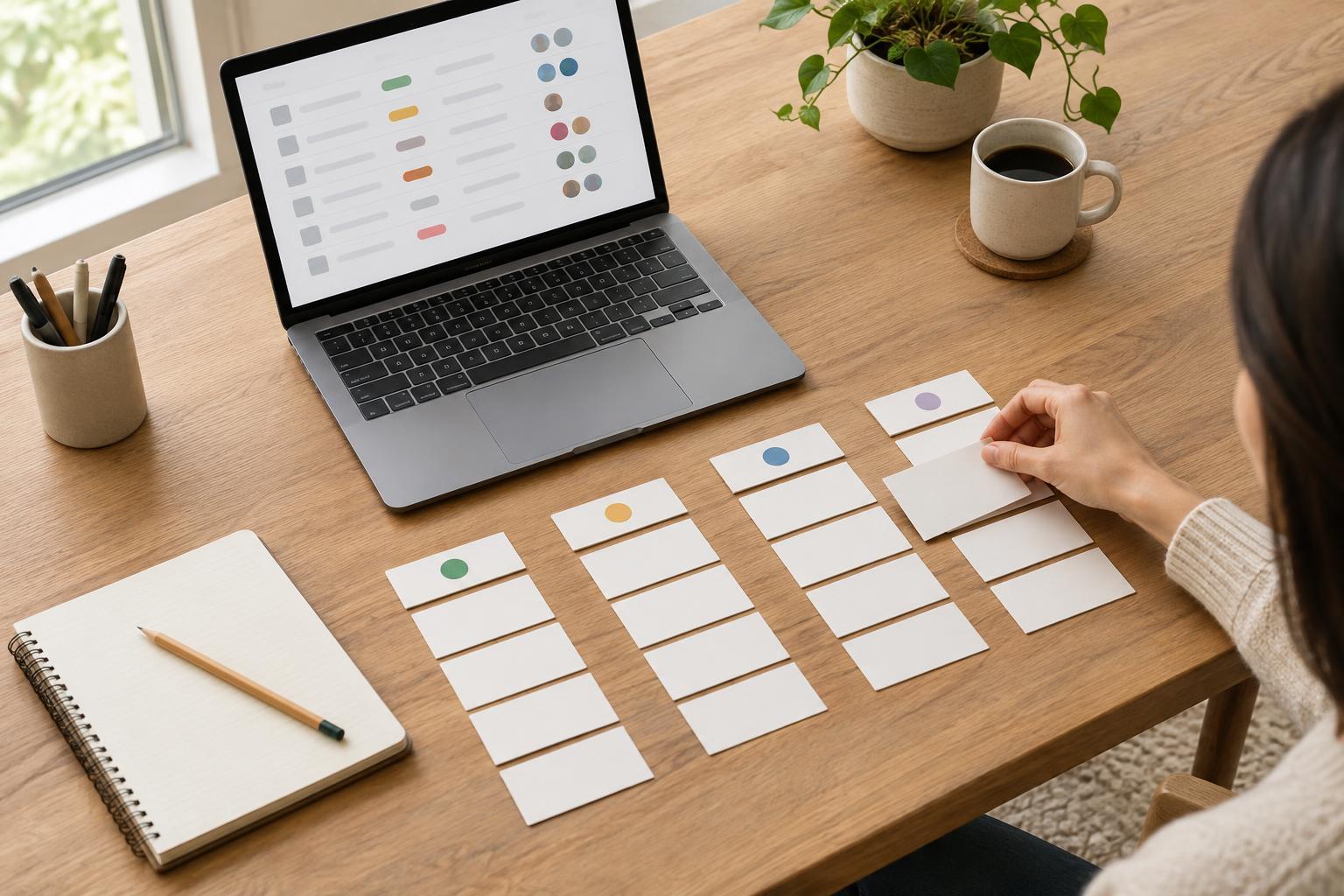
DocumentationA content inventory gives every page a place to be tracked, reviewed and maintained. Learn how to record page status, assign a clear owner and use the inventory to move a website project toward delivery.
Read article · 4 min↗

DocumentationA useful local setup guide helps someone move from a fresh copy of a website project to a working page without guessing. Learn what to record, how to make each step verifiable, and how to keep the guide useful as the project changes.
Read article · 4 min↗

DocumentationA useful account record tells collaborators what tools a project uses, who owns access, and how to request it. It does not need to contain passwords. Learn how to build an access inventory, keep credentials separate, and make handovers easier for freelancers, students, and small teams.
Read article · 4 min↗

DocumentationA useful procedure helps someone complete a task without guessing what happens next. Learn how to define its scope, write clear steps, handle exceptions, and test it with a real project.
Read article · 4 min↗

DocumentationA project plan often depends on things nobody has confirmed yet. A simple record of assumptions and constraints makes those dependencies visible, gives each one a way to be checked, and helps freelancers, students and small teams respond when plans change.
Read article · 4 min↗

DocumentationA project glossary gives collaborators one place to check what a term means in the context of their work. Learn how to choose entries, write useful definitions, organize the page, and keep it accurate as the project changes.
Read article · 4 min↗

DocumentationUseful meeting notes do more than record what people said. They show what was decided, what remains open, and who will do what next. This guide offers a simple format for taking, sharing, and maintaining notes that help digital and creative projects move forward.
Read article · 4 min↗

DocumentationA decision log records not just what a team chose, but why. Learn what to include, when to add an entry, and how to keep the log useful without turning it into another time-consuming document.
Read article · 4 min↗

DocumentationA practical way to describe what a digital project must do, make unusual situations visible, and give collaborators a shared basis for building and reviewing the work.
Read article · 4 min↗

DocumentationA useful README helps someone open a project folder, understand what belongs where, find the latest working files and continue the work without guessing. Here is a practical structure for freelancers, students and small teams.
Read article · 4 min↗

DocumentationA shared document, a wiki and a repository README can all be useful, but they serve different readers and workflows. Learn how to choose a home for each kind of project information, connect the pieces and keep them useful through delivery.
Read article · 4 min↗

DocumentationA documentation index gives a project one reliable starting point. Learn how to organize links to briefs, decisions, working files and delivery notes so collaborators can find what they need without searching through folders and messages.
Read article · 4 min↗

DocumentationSmall creative teams do not need a document for every conversation. They need a few reliable places to find the brief, decisions, work in progress, feedback and final files. Here is a practical documentation setup that supports delivery without becoming a project of its own.
Read article · 4 min↗

Delivery and ReviewA project is not quite finished when the final file is sent. A clear archive, a confirmed handoff and a short closeout routine make the work easier to find, use and revisit. This guide covers what to save, how to organize it and how to leave useful context for the next person.
Read article · 4 min↗

Delivery and ReviewA project retrospective is most useful when it turns specific observations into small, testable changes. Learn how to prepare, run and follow up on a review that helps your next project go more smoothly.
Read article · 4 min↗

Delivery and ReviewA small website can look finished in a preview and still have broken links, missing images or forms that fail on the live site. This guide shows how to run a short, repeatable smoke test after launch, record problems and decide what to fix first.
Read article · 4 min↗

Delivery and ReviewA final approval is most useful when it identifies the exact work accepted, who approved it, and what remains open. Use a simple acceptance record to close a project without losing track of exceptions or later changes.
Read article · 4 min↗

Delivery and ReviewNot every project review needs a call. Learn when comments placed directly on a draft can make feedback clearer, when a conversation is still worth scheduling, and how to turn either approach into actionable revisions.
Read article · 4 min↗

Delivery and ReviewA reliable copy review goes beyond the main pages. Use a text inventory, test interface states, review copy in context, and record fixes clearly so buttons, errors, emails, and other small but important messages receive attention before delivery.
Read article · 4 min↗

Delivery and ReviewA practical browser-checking routine for freelancers and small teams: choose a useful test set, inspect key pages and interactions, record issues clearly, and hand over a site with known limitations documented.
Read article · 4 min↗

Delivery and ReviewA digital project can look finished on a laptop and still be difficult to use on a phone. This guide offers a practical review routine for checking layouts, content, interactions and handoff across screen sizes.
Read article · 4 min↗

Delivery and ReviewA practical pre-handoff routine for checking whether a digital project is usable with a keyboard, readable at different sizes, and understandable beyond its visual design. Learn what to test, what tools can and cannot catch, and how to document remaining issues for the next person.
Read article · 4 min↗

Delivery and ReviewA practical pre-launch testing routine for websites and digital projects. Check the paths visitors are most likely to take, verify that forms and links work as intended, and give your team a clear way to record and resolve problems.
Read article · 4 min↗

Delivery and ReviewA practical visual consistency check helps you catch mismatched type, color, spacing, components, and exports before handoff. Use this review routine for a website, presentation, campaign, or other visual project.
Read article · 4 min↗

Delivery and ReviewA simple version-labeling routine helps freelancers, students and small teams tell working files from review copies and approved deliverables. Learn how to name files, handle feedback and check a handoff before sending it.
Read article · 4 min↗

Delivery and ReviewFinal review can reveal useful improvements just as a project is ready to ship. A simple process for recording, assessing and deciding on late requests helps freelancers, students and small teams protect the delivery date without dismissing good feedback.
Read article · 4 min↗

Delivery and ReviewConflicting feedback can stall a creative project when every comment looks like a separate instruction. Learn how to sort requests, uncover the goals behind them, choose a decision owner and document what happens next.
Read article · 4 min↗

Delivery and ReviewUseful feedback starts before anyone leaves a comment. Give reviewers a clear goal, show them what is ready to assess, ask focused questions, and turn their responses into a manageable revision list.
Read article · 4 min↗

Delivery and ReviewA useful review process starts before anyone opens the draft. Set the number and purpose of review rounds, agree on realistic response deadlines, and explain how feedback will be collected. This guide shows freelancers, students, and small teams how to make those decisions without turning every revision into a new negotiation.
Read article · 4 min↗

Delivery and ReviewA client walkthrough is more than a presentation of finished work. It is a chance to show how the deliverable meets the brief, check it in context, gather focused feedback, and agree on what happens next. Use this practical routine for websites, designs, reports, and other creative projects.
Read article · 4 min↗

Delivery and ReviewA creative project handoff note helps the next person find the work, understand what is finished, and know what to do next. Use this guide to cover deliverables, file locations, open decisions, permissions, and review steps without writing a lengthy report.
Read article · 4 min↗

Delivery and ReviewA finished project is easier to hand over when files are organized for the person receiving them. Use a clear folder structure, sensible names, a short handoff note and a final access check to help clients find the right deliverables and put them to use.
Read article · 4 min↗

Delivery and ReviewA useful pre-delivery checklist does more than catch broken links. Learn how to turn your project brief into a focused review of scope, content, functionality and handoff materials before a digital project reaches its client or audience.
Read article · 4 min↗
 Team Collaboration

